How to use
Open Rent brings together rental data from multiple sources into one place. Here's a quick walkthrough of the three main things you can do with these recently launched tools
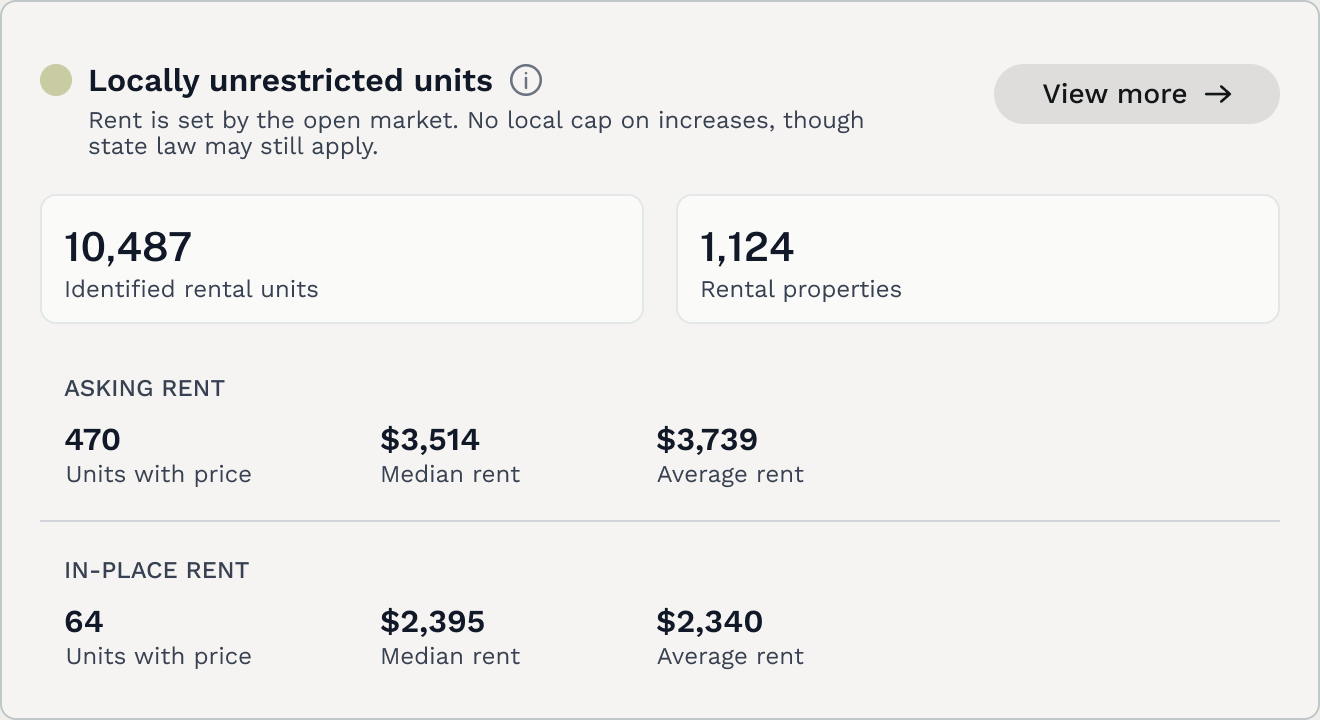
Understand how rent is regulated across your housing stock
Across jurisdictions, units are subject to different regulations based on what governs its rent price.
Open Rent surfaces these classifications upfront so you always know what you're looking at and why the numbers differ across unit types.
Click "View more" on any rent regulation type to drill into that segment’s data.
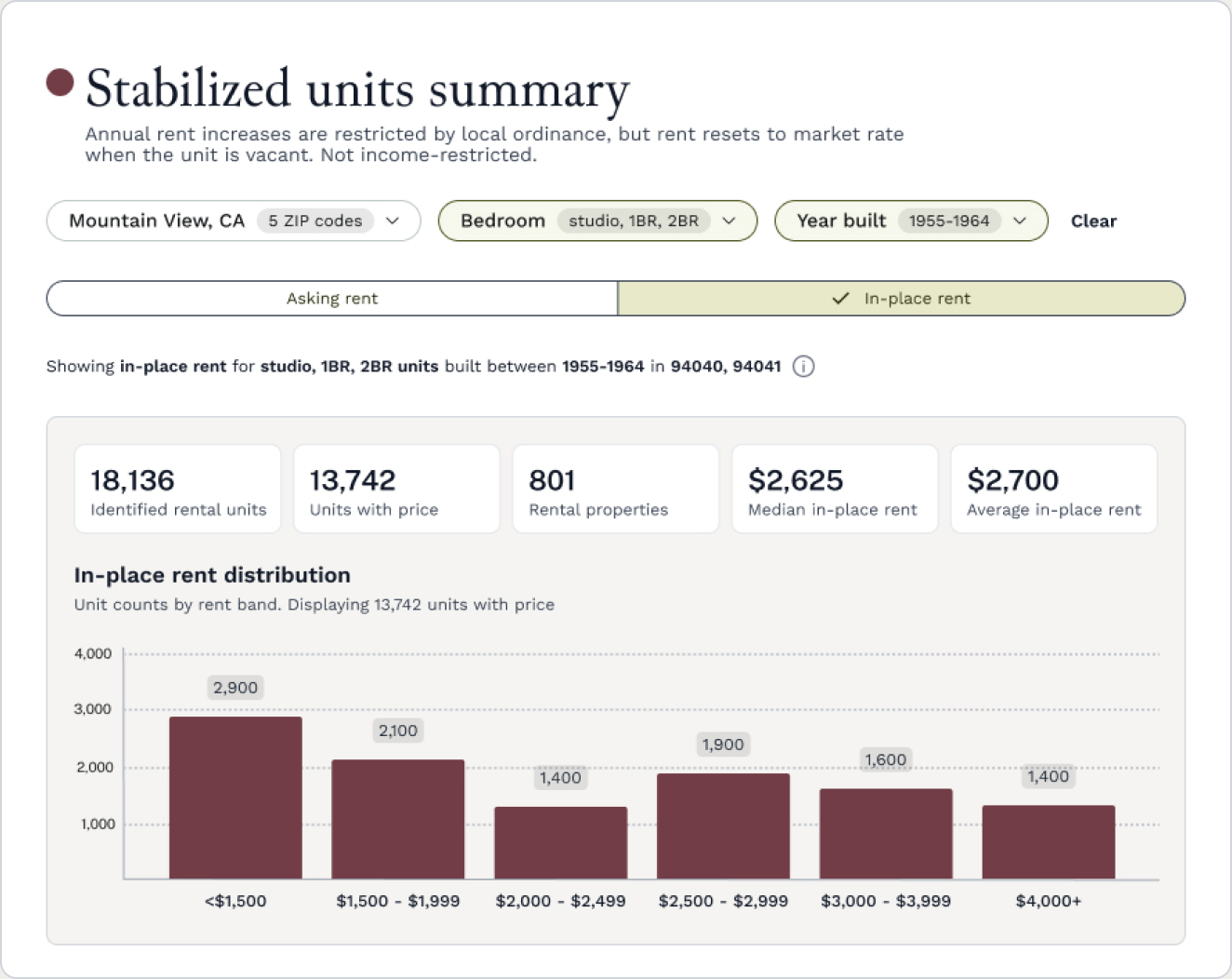
Filter and explore a segment's data in detail
Clicking into any rental regulation type opens a side sheet with a deeper breakdown of that segment. From here you can filter by bedroom type, year built, and ZIP code to narrow the data to exactly what you need. Charts update in real time as you apply filters.
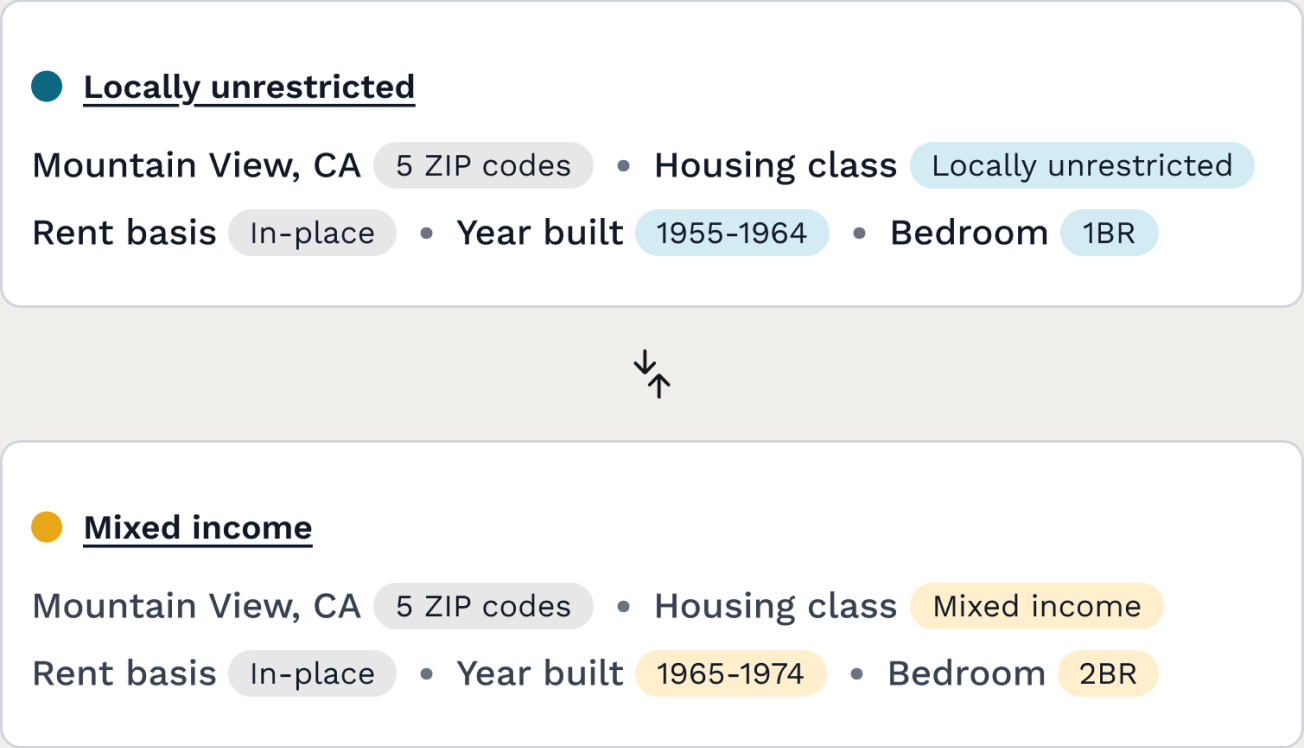
Compare two slices of the rental market side by side
The comparison builder lets you define two custom segments and view them side by side — median rent, unit counts, building type distribution, and more. Use it to answer questions like: how do stabilized units in one ZIP compare to another, or how does rent differ between older and newer buildings?